How to Schedule Podcast Clips to YouTube, TikTok, Instagram, Facebook and X (2026 Guide)
Cutting clips from an episode is the half of the job that tools have mostly solved. The half that actually kills the habit is what comes after: five to ten finished clips, four or five platforms, each wanting its own title, its own caption, its own upload — every week, forever.
The evidence that this is where the workflow breaks is everywhere in public. Descript users have been asking for direct social publishing since June 2022 — the request is still open. And when you read how working podcasters actually run distribution, the recurring tool is a spreadsheet: which clip went where, when, under what title. That's not a workflow, that's bookkeeping.
This is a practical guide to scheduling a batch of clips properly — the spacing, the per-platform packaging, the caps that silently eat posts — and how to do it without the spreadsheet.
Why "post them all now" underperforms
The temptation after a generation run is to publish everything the day the episode drops. Spacing wins for two reasons:
- The episode gets a longer tail. A clip surfacing on Thursday reaches people who weren't looking on Monday, and every clip is a new door into the same episode.
- You learn something. Spread across a week, the batch becomes an experiment: the topic that outperforms twice is your next episode. Dumped in one day, the platform's distribution muddles the signal.
Step 1: Connect accounts once, not exports forever
Scheduling only removes work if the tool posts for you. That means connecting each account through the platform's official authorization — once — so publishing is a click, not a download-then-reupload ritual done five times per clip.
If your current flow is "export from the editor, open five tabs, upload five times," that's the step to eliminate first. It's also the step where clips die: a finished clip sitting in a downloads folder is indistinguishable from a clip that was never made.
Step 2: Package per platform, once
The same clip should not carry the same text everywhere. A YouTube Short benefits from a searchable title; TikTok rewards a hook-first caption; X wants the claim stated plainly. Retyping that per platform per clip is exactly the grunt work people build spreadsheets around.
The fix is doing it on the clip, once: set each platform's title and description before scheduling, and let every scheduled post carry its own version. Write them while the clip is fresh — you already know its strongest sentence.
Step 3: Schedule the batch on a spread
With packaging done, scheduling should be one action on the whole batch, not ten separate date-pickers. Pick a cadence — every few hours, daily, every other day, weekly — and let the batch fill the calendar from the front.
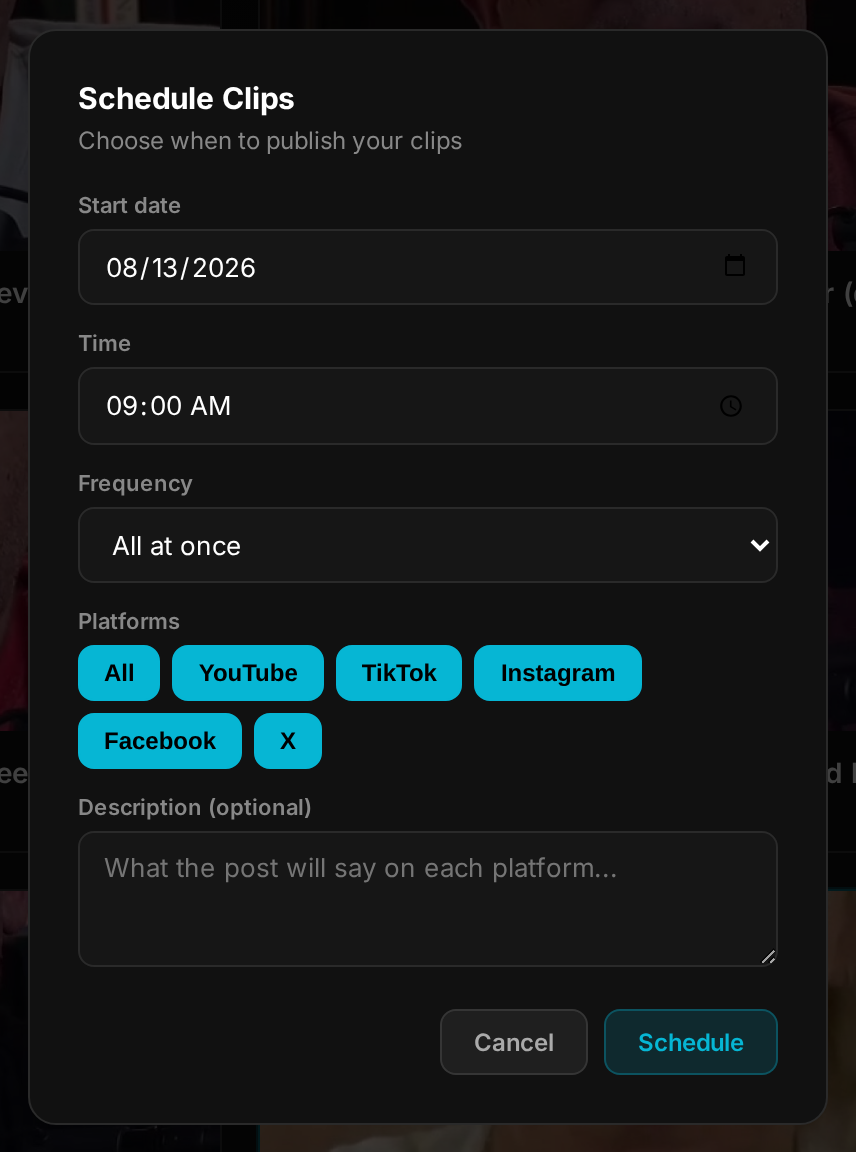
A useful default for a weekly show: schedule the whole batch daily. One episode then covers your short-form presence until the next recording, without a single manual post in between.
Step 4: Know the caps before they eat your posts
The platforms have limits they don't advertise. The one that bites clippers most: TikTok caps an account around 10-15 posts per rolling 24 hours and silently drops the extras — no error, the post simply never appears. If you schedule a big batch tightly, the overflow needs to roll to the next day, not vanish.
Step 5: Status lives with the schedule
The last spreadsheet column people keep is "did it actually go out?" — and it's the one that matters. A real schedule shows each clip's state in place: published, waiting, or failed with the reason. When a post fails because a connection expired, you want to find that out from the tool the same day, not from a follower asking why the channel went quiet.
Doing all of this in one place
Everything above is why we built scheduling into SocialClip Studio rather than leaving it to a second tool. The flow: paste an episode link or upload the file, review the clips it cuts, set per-platform titles and descriptions on the ones worth posting, then Schedule All with a spread — every 30 minutes, hourly, daily, every 2 days, or weekly. Clips publish directly to YouTube Shorts, TikTok, Instagram, Facebook and X through connected accounts, the TikTok daily cap is handled by offering the next free day instead of losing the post, and each clip shows its status where you cut it. Flat monthly price, no credits.
Whatever tool you use, the spacing and the per-platform packaging are what move the numbers. The spreadsheet was never the work — it was the symptom of tools stopping halfway.
Schedule your next batch in one pass
Paste an episode, review the clips, schedule the week. Flat rate, no credits, no per-minute fees.
Try SocialClip Studio