How to Remove Silence and Filler Words from Podcast Video (2026 Guide)
A pause that feels natural in an hour-long conversation is an eternity in a sixty-second clip. Short-form viewers decide in seconds whether to stay, and two seconds of dead air — or an "um, so, like" run-up before the actual point — is exactly when they leave.
The fix sounds trivial: cut the silence, delete the fillers. Done by hand on a timeline it's tedious; done by naive automation it mangles the audio. This is a guide to how it actually works when it works, and the two places automated cutting goes wrong.
Why dead air hurts more in clips than in episodes
Podcast listeners are committed — they chose the episode, they'll ride out a thinking pause. Clip viewers are the opposite: they didn't choose anything, the feed chose for them, and the algorithm is measuring every second of watch time. In that context:
- A long pause reads as the clip being over. Viewers swipe on silence — they assume the payoff already happened.
- Fillers dilute the hook. "So, um, the thing I'd say is—" spends your first three seconds on nothing. The strongest sentence in the clip often has the weakest opening.
- Tighter pacing compounds. Cutting a few seconds of gaps from a 60-second clip raises the density of everything that remains.
The waveform trap
Most "auto silence removal" works from the waveform: anything under a volume threshold gets cut. That's the version that gives the feature a bad name — it clips breaths mid-word, chops trailing consonants, and turns natural speech into a jump-cut stutter, because volume alone can't tell a pause from a soft word.
The version that works cuts from word-level timing instead. When the transcript knows exactly where each word ends and the next begins, the gaps between them are known precisely — and cuts land in the gap, not on the speech.
What good silence removal actually does
- Only cuts real gaps. Pauses under about a second are rhythm, not dead air — they stay. Gaps longer than that get cut.
- Leaves padding. A tenth of a second of room around the speech keeps the result sounding like talking, not typing.
- Remaps the captions. Every cut shifts everything after it. If the captions aren't retimed to the new cut, they drift — this is the most common failure in tools that bolt silence removal on after captioning.
Filler words are a transcript problem, not an audio problem
"Um", "uh", and "like" exist in the transcript with exact start and end times, which makes removing them a precision cut rather than a guess. Word-level removal takes out the filler and stitches the speech around it; the sentence keeps its meaning and loses the hesitation.
Worth knowing where the line is: a filler mid-sentence is safe to cut, but a speaker who uses "like" as an actual word ("it's like a muscle") needs the removal to be smarter than a text search — it has to look at timing and context, not just the letters.
Doing it in one toggle
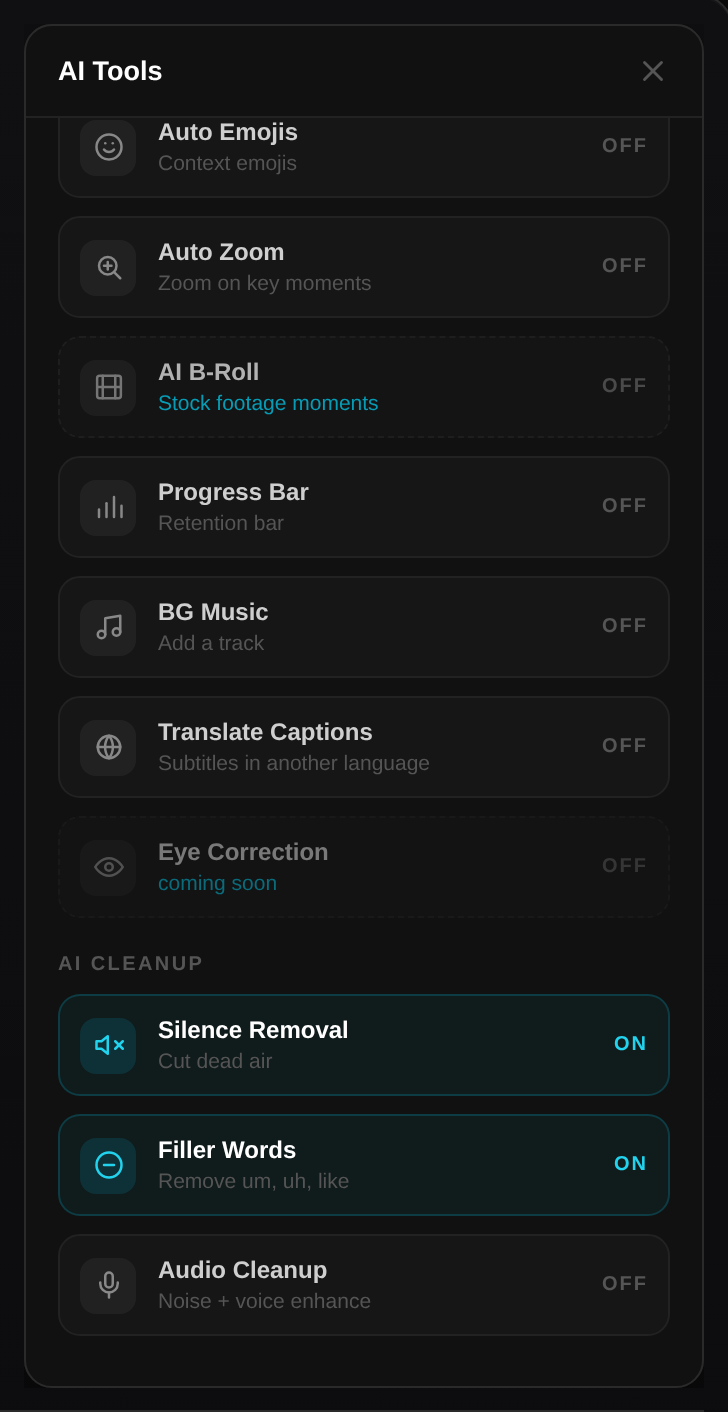
In SocialClip Studio both of these are switches in the clip editor: Silence Removal ("cut dead air") and Filler Words ("remove um, uh, like"). They work from the word-level transcript the clip already has, cut in the gaps with padding, and remap the captions to the new timeline automatically — so the burned-in captions stay in sync after the cuts. Flip them per clip, preview, and export.
Tighten your next batch of clips
Paste an episode, flip the toggles, hear the difference. Flat rate, no credits.
Try SocialClip Studio